Troubleshooting Common Pool Sensor Problems
By Alex Rivera · Published · 4 minutes read
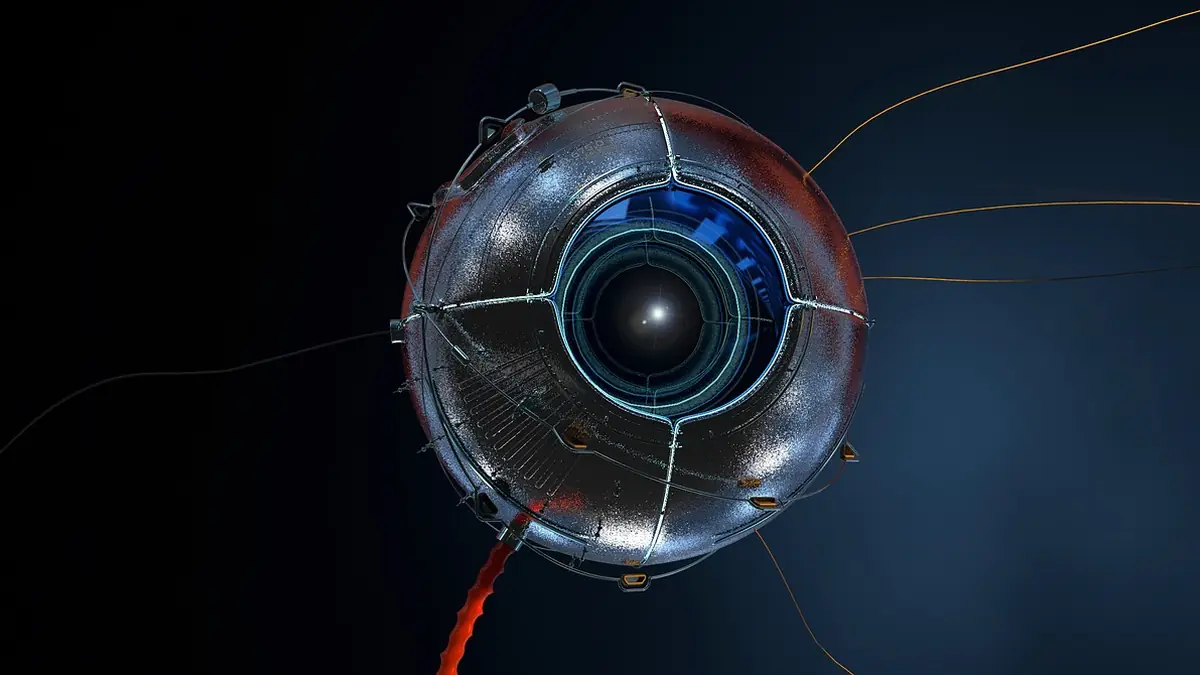
A pool monitoring sensor that reports confidently wrong numbers is worse than no sensor at all, because you act on bad data. Most problems fall into three groups: readings that drift or stick, connectivity that drops, and power or battery failures. Each has a short diagnostic path you can run in fifteen minutes with the tools already in your pool shed.
This guide covers what typically goes wrong, the ranges you should expect, and when a probe is simply at the end of its life. Keep a log of every fault and fix — patterns in that log tell you whether you have a maintenance habit problem or a hardware problem worth escalating.
Start With the Reading, Not the Sensor
Before touching the probe, confirm the reading against an independent test. A handheld photometer or fresh test strips will tell you whether the sensor is wrong or the pool has actually changed. If the sensor says pH 7.9 and a strip says 7.4, the probe is the suspect. If both agree, stop troubleshooting hardware and treat the water.
Record three readings an hour apart. A probe that holds steady while the pool chemistry moves is stuck; one that swings wildly is usually contaminated or seeing air in the sample line. Normal pool pH should sit between 7.2 and 7.8, free chlorine 1–3 ppm (or higher with stabiliser), and ORP typically 650–750 mV. Values pinned at exactly the top or bottom of a sensor's range are a classic failure signature.
- Compare against a handheld test before anything else
- Log three readings an hour apart
- Treat a pinned or frozen value as a dead probe signal
- Check whether the sample line has air bubbles
Cleaning and Calibrating Probes Correctly
Most drifting pH and ORP probes are simply dirty. Oils, scale, and biofilm coat the glass bulb or platinum tip and slow the response. Clean pH glass with a soft cloth and mild detergent, then soak in pH 4 buffer for ten minutes. Clean ORP electrodes with a dilute acid solution to strip scale, rinse thoroughly, and avoid abrasive pads that scratch the surface.
Calibrate after every clean, using fresh buffer solutions at the pool's actual temperature. Old buffers absorb carbon dioxide and drift, so replace them every one to two months once opened. A healthy pH probe calibrates within about ±0.1 pH; if it needs large corrections every week, or will not hold a slope, replace it. Probes in continuous service generally last 12–24 months, often less in high-cyanuric or salt systems.
- Use fresh pH 4 and pH 7 buffers, replaced monthly
- Calibrate at pool temperature, not room temperature
- Expect ±0.1 pH accuracy from a healthy probe
- Replace probes every 12–24 months in continuous use
Diagnosing Connectivity Drops
Wi-Fi sensors that drop every few hours are usually at the edge of coverage. Pool equipment sits behind metal, concrete, and water — all of which eat 2.4 GHz signal. Check the reported signal strength in the app; below roughly -70 dBm, expect intermittent drops. A cheap fix is moving the hub or gateway closer to the equipment pad rather than moving the sensor itself.
If the sensor uses a cellular link, drops usually come from a weak band or a flat data plan. Confirm the device is still registered and that the plan has data remaining. For hardwired or hub-based systems, loose terminals and corroded connectors cause reboots; inspect and reseat every connection at the start of the season. Persistent drops across multiple devices point at the network, not the sensors.
- Aim for signal above -70 dBm at the equipment pad
- Move the gateway, not the probe, to improve signal
- Check cellular data plans and device registration
- Reseat and inspect connectors each season
Power, Batteries, and Enclosure Failures
Battery-powered sensors typically run 6–18 months depending on reporting interval. A sensor that dies in weeks has either a failing cell, a reporting interval set too aggressively, or water ingress. Open the enclosure and look for condensation or corrosion on the board; any moisture means the gasket has failed and the unit should be dried, resealed, or replaced. Never reseal a wet board without drying it fully first.
Solar units fail quietly when panels cloud over or the internal cell ages. Wipe panels monthly and check charge status in the app. For mains-powered units, intermittent reboots often trace to a shared circuit with the pump, where voltage sags on startup. A dedicated circuit or a small UPS solves most of these. Log battery replacement dates so a sudden failure is obvious rather than mysterious.
- Expect 6–18 months from a healthy battery
- Look for condensation and corrosion inside the enclosure
- Wipe solar panels monthly and check charge status
- Put sensors on a circuit that does not share the pump
When to Repair and When to Replace
Probes are consumables; controllers and gateways are not. If a probe is under 12 months old, out of warranty, and failing calibration, cleaning is worth one attempt. If it will not hold calibration after cleaning, replace it — chasing a dying probe wastes more time than the part costs. Controllers that reboot, lose settings, or misreport multiple probes are usually a firmware or power issue, not a sensor issue.
If you are still deciding how much to handle yourself, our comparison of DIY testing versus professional monitoring lays out where each approach makes sense. For installations that are new or recently moved, DIY versus professional installation explains the wiring and placement mistakes that cause most first-month faults.
- Clean a failing probe once, then replace it
- Replace probes rather than controllers when readings drift
- Treat multi-probe faults as power or firmware problems
- Keep spare pH and ORP probes on the shelf
| Symptom | Likely cause | First check | Expected normal range |
|---|---|---|---|
| pH stuck at 7.0 or 8.0 | Contaminated or dead glass bulb | Clean and recalibrate with fresh buffer | pH 7.2–7.8 |
| ORP falls steadily over days | Scale on platinum tip | Acid clean and rinse | 650–750 mV |
| Reading swings every few minutes | Air in sample line or pump cycling | Check sample flow and bleed line | Steady within ±0.1 pH |
| Wi-Fi drops hourly | Weak signal at equipment pad | Check dBm in app | Above -70 dBm |
| Battery dies in under a month | Water ingress or aggressive reporting | Open enclosure, check for moisture | 6–18 months per set |
| Controller reboots with pump | Shared circuit voltage sag | Move to dedicated circuit or UPS | Stable 24/7 uptime |
Building a Fault Log That Pays Off
A simple spreadsheet with date, fault, reading, action, and outcome will tell you within a season whether you have a maintenance problem or a hardware problem. If the same probe drifts every four weeks, you have a water or cleaning issue. If different probes fail on the same controller, suspect the controller. If faults cluster after storms or pump changes, suspect power and wiring.
Review the log monthly and act on repeats. Most owners find that two or three fixes — better probe cleaning, a moved gateway, and a dedicated circuit — eliminate the majority of alerts. If alerts keep arriving while you are away, remote monitoring for vacation homes covers the settings and fallbacks that stop a small fault becoming a green pool.
- Log date, fault, reading, action, outcome
- Monthly review: repeated faults mean a root cause
- Cluster faults around storms and pump changes
- Two or three fixes usually clear most alerts
- Verify every suspect reading against a handheld test before touching hardware
- Clean and calibrate with fresh buffers first; replace probes that will not hold calibration
- Signal below -70 dBm and shared pump circuits cause most connectivity and reboot faults
- Keep a fault log and review it monthly to separate maintenance habits from hardware failures
Alex has spent over a decade managing pool water quality for residential and commercial properties. He founded WaterWatchersSignup to help pool owners simplify monitoring with practical tools and honest advice. His focus is on making water chemistry approachable for everyone.