How to Interpret Pool Monitoring Alerts: A Troubleshooting Guide
By Alex Rivera · Published · 5 minutes read
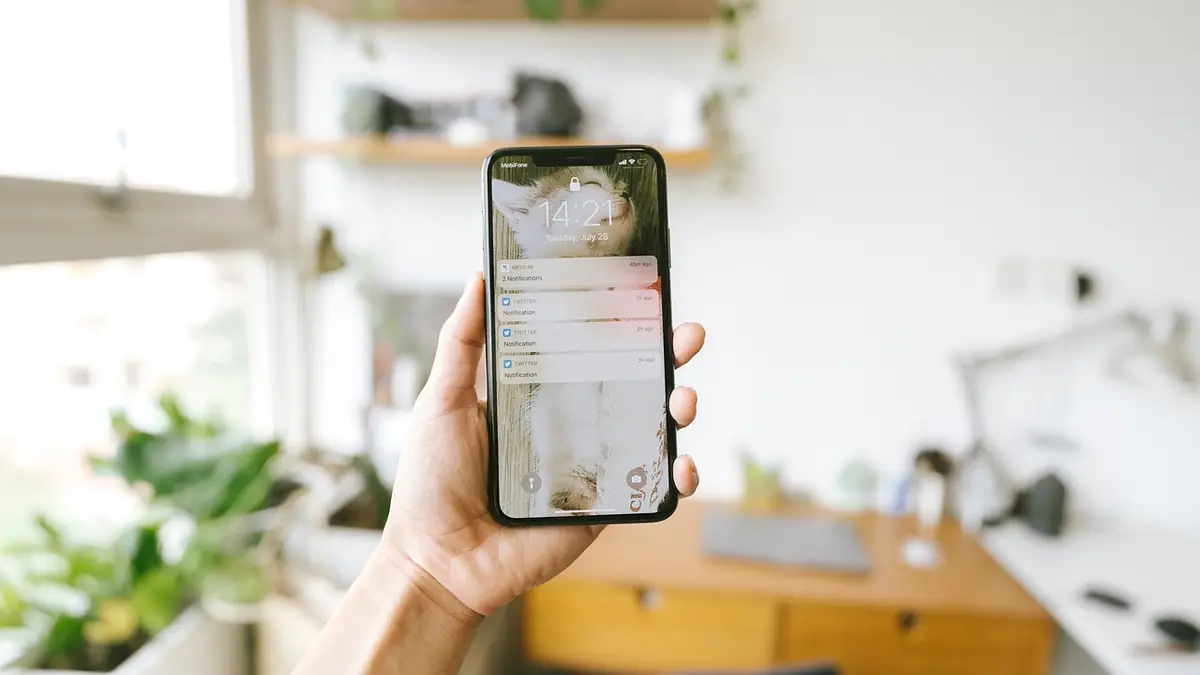
Pool monitoring systems are designed to give you early warnings, but the alerts they send can sometimes feel cryptic. A flashing red light or a push notification saying "ORP fault" doesn't tell you much on its own. The key is to understand what each alert means, how urgent it is, and what steps to take next.
This guide breaks down the most common pool monitoring alerts, explains the likely causes, and gives you a clear action plan. Whether you're a homeowner with a basic system or managing a commercial pool, knowing how to respond to alerts quickly can prevent water quality issues and costly repairs.
Common pH Alerts and What They Mean
pH is one of the most frequently monitored parameters, and alerts typically trigger when readings fall outside a safe range—usually below 7.2 or above 7.8. A low pH alert often indicates that the sanitizer is working too aggressively or that recent chemical additions have skewed the balance. High pH alerts are more common in pools with high alkalinity or when there's been heavy rain or a lot of splashing.
When you get a pH alert, don't rush to add chemicals. First, check the sensor's calibration and cleanliness. A dirty probe can cause false readings. If the reading is accurate, test the water manually with a reliable kit to confirm. Then adjust pH gradually using muriatic acid or sodium bicarbonate, retesting after each addition. For more on testing frequency, see How Often Should You Test Your Pool Water?.
If pH alerts persist despite adjustments, your total alkalinity may be out of range. Alkalinity acts as a buffer, so low alkalinity can cause pH to swing wildly. Aim for 80–120 ppm alkalinity. Also, check for CO2 injection systems or salt cells that might be driving pH up. Regular maintenance of these components can reduce false alerts.
- Low pH (<7.2): add pH increaser, check alkalinity.
- High pH (>7.8): add pH decreaser, check for high alkalinity.
- Persistent alerts: calibrate sensor, test manually.
Chlorine and ORP Alerts: What They Indicate
Chlorine alerts are among the most critical because they directly affect water safety. Monitoring systems often use ORP (oxidation-reduction potential) sensors to estimate sanitizer activity. An ORP alert typically means the reading has dropped below the set threshold—often 650 mV—which suggests insufficient active chlorine. However, ORP can be affected by pH, cyanuric acid levels, and sensor fouling.
When you receive a chlorine alert, first verify with a manual test kit for free chlorine. If free chlorine is indeed low (below 1 ppm), shock the pool and check for high chlorine demand caused by debris or heavy bather load. If the manual test shows adequate chlorine but the ORP alert persists, the sensor likely needs cleaning or calibration. Cyanuric acid above 50 ppm can also suppress ORP readings, so test that too.
For systems that use amperometric chlorine sensors, alerts may trigger due to membrane fouling or low reagent. Follow the manufacturer's maintenance schedule. If you're unsure whether to handle alerts yourself or call a pro, our article on DIY Pool Water Testing vs. Professional Monitoring: Which Is Right for You? can help.
- Low ORP: check free chlorine manually, shock if needed.
- High cyanuric acid: can cause false low ORP, consider partial drain.
- Sensor maintenance: clean membrane, replace reagent.
Temperature and Flow Alerts
Temperature alerts are usually straightforward: the water is too hot or too cold. For pools, temperatures above 90°F (32°C) can promote algae growth and reduce chlorine effectiveness. Below 60°F (15°C) and many systems will flag it as a potential issue, though this is less critical. If you get a temperature alert, check the heater or heat pump settings and ensure the sensor is properly submerged.
Flow alerts are more serious. They indicate that water is not moving through the system as expected, which can lead to poor filtration and chemical distribution. Common causes include a clogged filter, a stuck valve, or a failing pump. Some systems also alert on low flow to protect the heater. When a flow alert appears, turn off the pump immediately to avoid damage, then inspect the skimmer baskets, pump strainer, and filter pressure gauge. A pressure increase of 8–10 psi above normal suggests the filter needs cleaning.
If flow alerts occur frequently, check for air leaks in the suction line or a partially closed valve. Persistent flow issues may require a professional inspection. For sensor-specific troubleshooting, see Troubleshooting Common Pool Sensor Problems.
- High temp: reduce heater setpoint, increase circulation.
- Low flow: clean filter, check pump, inspect valves.
- Pressure rise: clean or backwash filter.
Sensor and Communication Alerts
Modern monitoring systems often send alerts about sensor health and connectivity. A "sensor offline" or "communication error" alert means the controller can't get a reading from one or more probes. This could be due to a loose cable, water intrusion, or a dead battery in a wireless sensor. Start by checking physical connections and power. If the sensor is battery-powered, replace the battery and see if the alert clears.
Calibration alerts are another common category. Many systems remind you when a sensor is due for calibration—typically every 1–3 months for pH and ORP. Ignoring these can lead to drift and false readings. If you see a calibration alert, perform the calibration using fresh buffer solutions. If the sensor fails to calibrate, it may need replacement. Regular maintenance prevents many of these alerts; our guide on Pool Monitoring System Installation: DIY vs. Professional covers proper setup to avoid connection issues.
For commercial pools, communication alerts can also indicate network problems that prevent data logging. Ensure your system has a stable internet connection and that the monitoring service is not experiencing outages. Compliance requirements may mandate immediate attention to such alerts, as outlined in Pool Water Monitoring for Commercial Pools: Compliance Checklist.
- Sensor offline: check cables, power, battery.
- Calibration due: calibrate with fresh buffers.
- Communication error: check network, router, service status.
Interpreting Alert Severity and Response Times
Not all alerts are equally urgent. Critical alerts—such as very low chlorine, high pH, or no flow—require immediate action, ideally within 30 minutes. Warning alerts, like slightly out-of-range pH or temperature, can be addressed within a few hours. Informational alerts, such as calibration reminders, can be scheduled for the next maintenance window.
Understanding severity helps you prioritize. For example, a chlorine alert at 0.5 ppm is critical because it poses an immediate health risk. A pH alert at 7.9 is a warning; you have time to adjust. Many systems allow you to customize alert thresholds and notification methods (email, SMS, push). Set them according to your pool's usage and risk tolerance.
If you receive multiple alerts simultaneously, address the most critical first. Often, one issue (like low flow) can cause secondary alerts (like high temperature). Fixing the root cause resolves the cascade. Keep a log of alerts and your responses to identify patterns and prevent future occurrences.
- Critical: act within 30 minutes (e.g., chlorine <1 ppm).
- Warning: act within 2–4 hours (e.g., pH 7.8–8.0).
- Informational: schedule for next maintenance.
| Alert Type | Typical Trigger | Likely Causes | Immediate Action | Urgency |
|---|---|---|---|---|
| Low pH | pH < 7.2 | High sanitizer, low alkalinity, acid rain | Add pH increaser, test alkalinity | Warning |
| High pH | pH > 7.8 | High alkalinity, CO2 injection, splashing | Add pH decreaser, aerate | Warning |
| Low Chlorine/ORP | ORP < 650 mV or Cl < 1 ppm | High bather load, low stabilizer, sensor fouling | Shock pool, check cyanuric acid | Critical |
| Low Flow | Flow < setpoint | Clogged filter, pump issue, closed valve | Turn off pump, clean filter, check valves | Critical |
| High Temperature | Temp > 90°F (32°C) | Heater malfunction, excessive solar gain | Adjust heater, increase circulation | Warning |
| Sensor Offline | No signal from probe | Loose cable, dead battery, water damage | Check connections, replace battery | Info/Warning |
| Calibration Due | Scheduled reminder | Time since last calibration | Calibrate with fresh buffers | Info |
When to Escalate: Professional Help vs. DIY
Some alerts you can handle yourself; others require a professional. If you've followed troubleshooting steps and the alert persists, or if you're uncomfortable with chemical adjustments or electrical components, call a qualified pool technician. Persistent sensor failures, pump issues, or heater problems are best left to experts.
For commercial pools, many jurisdictions require certified operators to respond to certain alerts. Always check local regulations. If your system generates frequent false alerts, it may be time to upgrade to a more reliable model. Our comparison of Top 5 Pool Water Monitoring Systems Compared (2024) can help you evaluate options.
Remember that monitoring systems are tools to aid you, not replace regular manual testing and inspection. Use alerts as prompts to investigate, and always confirm with a manual test before making significant chemical changes.
- Escalate if: alert persists after basic troubleshooting.
- Call a pro for: electrical issues, pump failures, sensor replacement.
- Commercial pools: follow local operator certification rules.
- Always confirm a monitoring alert with a manual test before adding chemicals.
- Prioritize critical alerts (chlorine, flow) and respond within 30 minutes.
- Clean and calibrate sensors regularly to reduce false alerts.
- Know when to call a professional—persistent or electrical issues are not DIY.
Alex has spent over a decade managing pool water quality for residential and commercial properties. He founded WaterWatchersSignup to help pool owners simplify monitoring with practical tools and honest advice. His focus is on making water chemistry approachable for everyone.